

Ai In Repair12 min read
How AI Is Changing the Repair Industry
AI isn't replacing repair technicians — it's making them faster, more accurate, and more productive. Here's how AI is transforming repair shop operations in 2026.
Integrations & Plugins
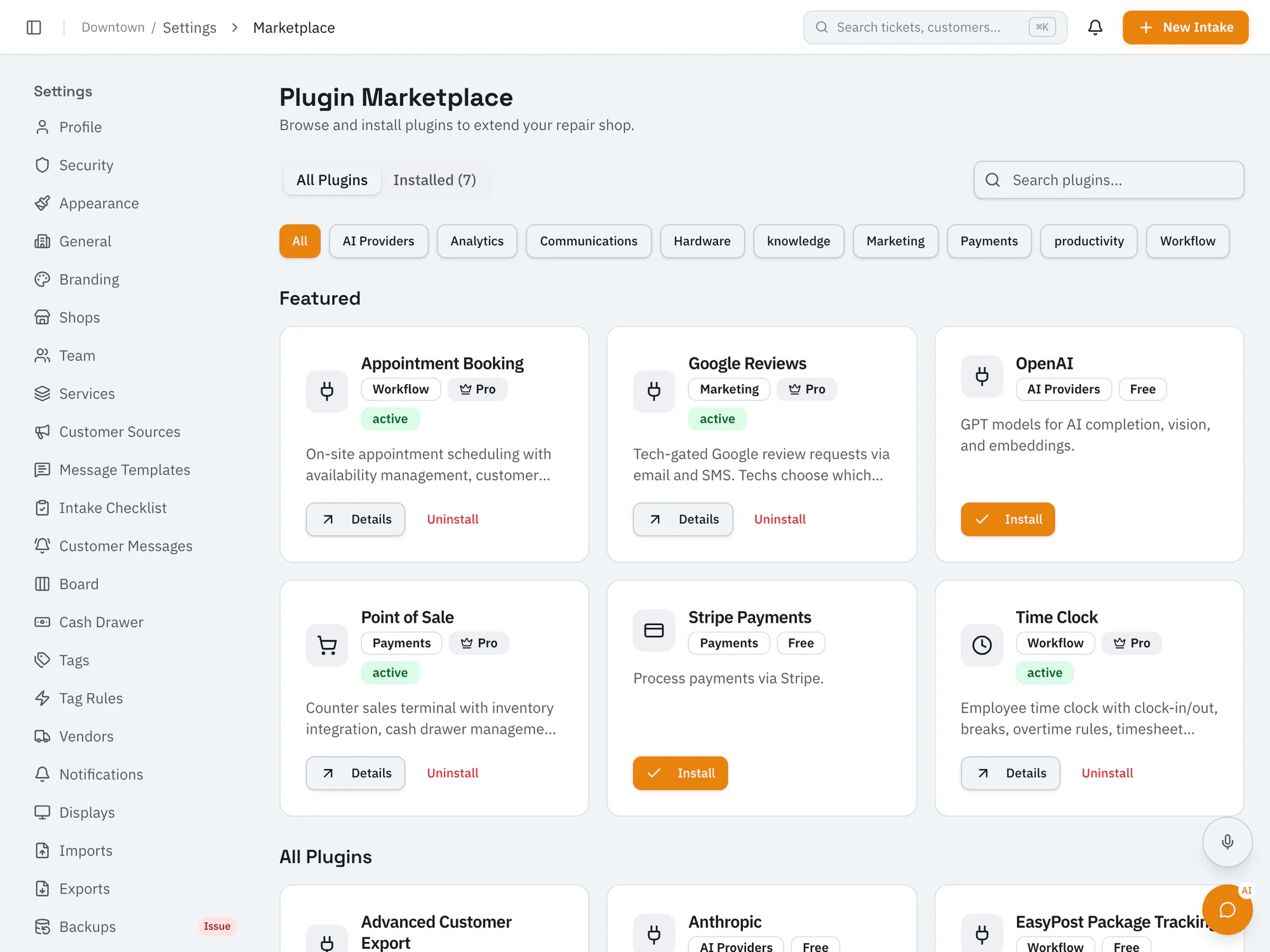
Connect the services your shop already relies onTake card payments through your own Stripe account, and connect Twilio for text messages, email providers, Slack alerts, and more. Some plugins need the Pro plan or higher, and Business adds a REST API and webhooks.
Starter plan and upCompare plans
Why it matters
Connect your own Stripe account and take card payments, including with Stripe Terminal smart readers at the counter. Your shop is the merchant, and payments go to your account.
Send texts through your own Twilio number, email through Postmark, SendGrid, or SMTP, and team alerts to Slack.
Build your own integrations with the REST API and webhooks on the Business plan and up.
How it works
Owners browse built-in plugins in settings.
Install a plugin and connect your own account with that service.
Connected services work alongside your tickets, messages, and payments.
Ai In Repair12 min read
AI isn't replacing repair technicians — it's making them faster, more accurate, and more productive. Here's how AI is transforming repair shop operations in 2026.
Ai In Repair9 min read
No hype, no jargon — a straightforward guide to how AI actually works in repair shops, what BYOK means, and how to get started without breaking the bank.
Now onboarding beta shops
RepairOps is onboarding repair shops in small batches. Join the beta and we'll be in touch when a spot opens.