Self-hosted · For PC Repair Tracker shops
RepairOps Shop Owner Edition
Repair shop software on your own server, built for shops moving from PC Repair Tracker.The RepairOps repair workflow, packaged for a server you rent. Your PCRT history comes with you, your data lives in a PostgreSQL database you control, and the license keeps the shop running even if you stop paying for updates.
Pricing is shared on request. There's no monthly subscription to RepairOps, and you rent the server from the hosting provider you choose. Updated .
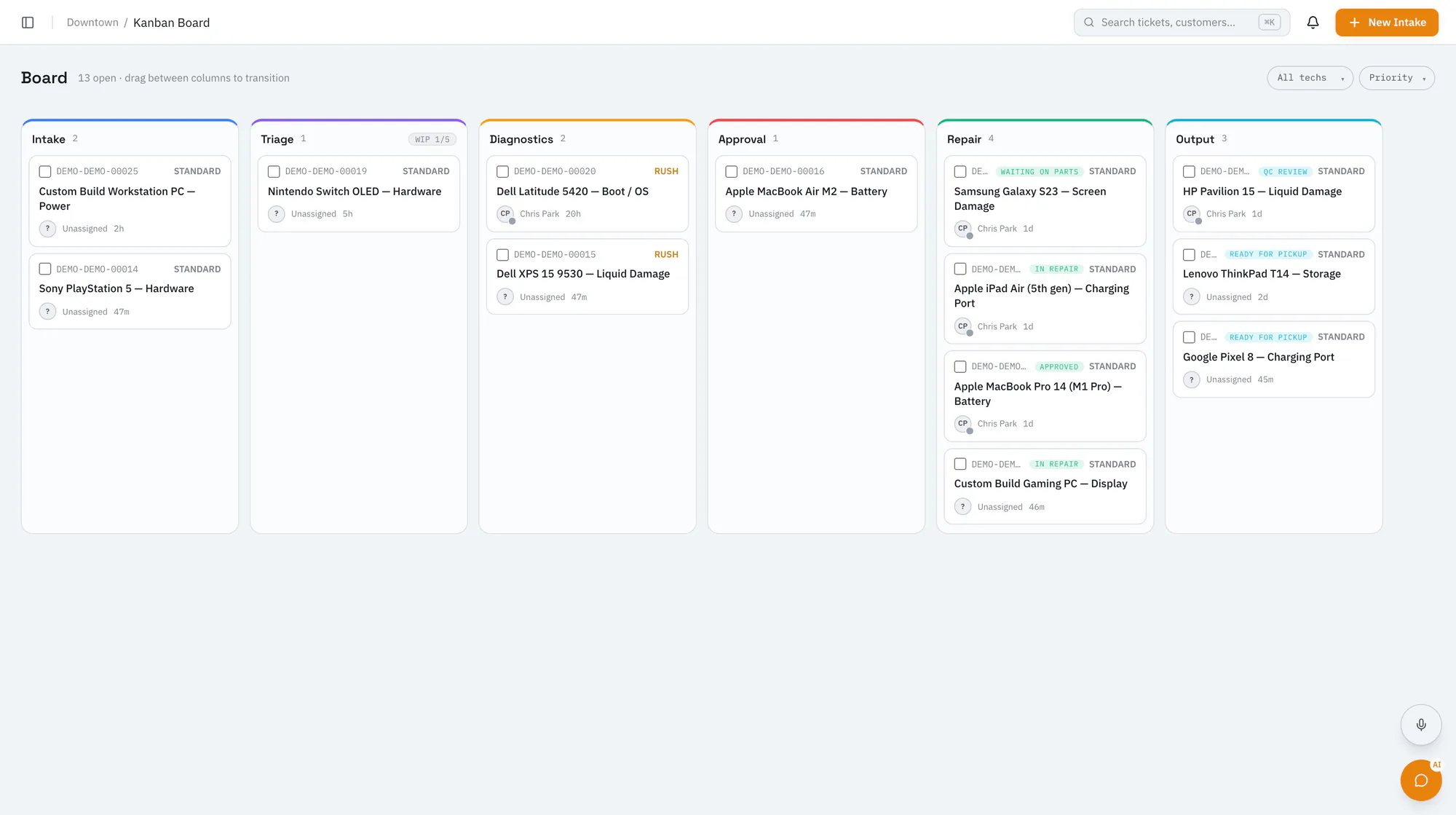
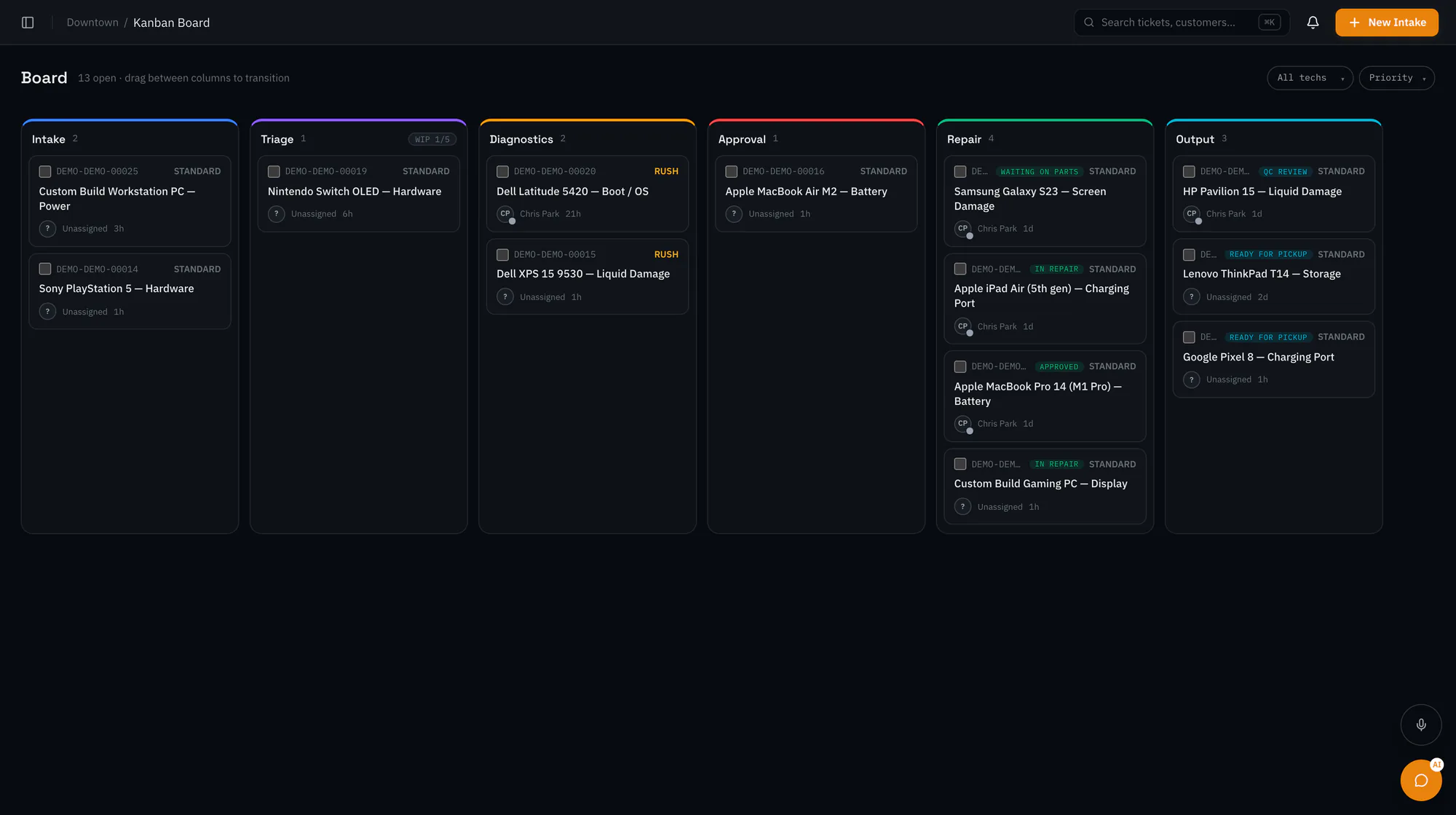
Shop Owner Edition at a glance
Your server, your database
It runs on an 8 GB server you rent. Customers, tickets, money and stock live in PostgreSQL on that box, and RepairOps hosts none of it.
Keeps running if you stop paying
Paying for updates buys new versions and security patches. Letting them lapse never switches the shop off.
Your PCRT history comes with you
One database dump carries customers, devices, work orders, notes, invoices, payments and stock, plus your status colors and canned texts.
Three stores, no per-user fees
Up to three stores in one install, with no cap on staff accounts, work orders, texts, exports or storage.
Texts and email on your own accounts
Customer texts go through your Twilio account and email through your own provider, and you pay them directly.
No product analytics on the box
Error reporting and product analytics aren't configured on this edition. The only regular call to RepairOps is a version ping, and one setting turns it off.
The license
A license that never switches your shop off
Your license includes 12 months of new versions and security patches. After that, paying for more updates is up to you. If you don't, your install keeps running the last version it received, indefinitely: no countdown, no read-only switch and no remote off button.
That's the deal PC Repair Tracker made: pay, keep using it, and renew only if you want updates. Here it's written into the software rather than left to goodwill. The only thing a lapse can hold back is a new version.
Your first 12 months
- The shop runs
- New versions and security patches arrive
- You can re-download and reinstall
Paying for more updates
- The shop runs
- New versions and security patches keep arriving
- You can re-download and reinstall
Not paying for updates
- The shop runs
- New versions pause, and you keep the last one you received
- You can re-download and reinstall
The license file
Your license is a small signed file, runtime.license.json, that sits beside the install and is bound to your organization. It names your edition, its features, your store count and the date your updates run to. The software checks its signature when it starts and keeps checking while it runs.
- With a valid file
- Everything in your edition is on. When your updates date passes you see one quiet notice that new versions are paused, and nothing else changes.
- With a missing or altered file
- The install goes read-only for new work until a valid file is back. Repairs already in progress still complete, exports keep working, and nothing is deleted.
Features come from the signed file, so editing the database can't switch anything on.
Stores and staff
Three store locations are included in one install. Each extra store is added with a reissued license file from RepairOps; there's no self-serve button. There's no per-user pricing and no cap on staff accounts, work orders, texts, exports or storage, because those run on your server and your own accounts.
A few bundled tools have fixed allowances, listed under limits and allowances.
Support
There's no support queue or phone line with this edition. You get the Owner's Guide, which covers installing, migrating, backups, updates and troubleshooting in plain English; a preflight checker that tests your server before you install anything; and security-notice emails when a version you run needs patching.
If you want help from the RepairOps team, the Supported self-hosted plan includes email support and update guidance.
Coming from PC Repair Tracker
What you had in PCRT, and where it lives now
A crosswalk from the PC Repair Tracker features shops use every day to where they live in Shop Owner Edition.
- Same jobdoes what PCRT did
- Does moregoes past PCRT
- Partlycovers some of it
- Not herenot in this edition
| In PC Repair Tracker | In Shop Owner Edition | Verdict |
|---|---|---|
| Work orders and status boxes | Tickets on a live Kanban board. Your status colors and order come across; columns, work-in-progress limits and card fields are yours to set, and each move is checked. | Does more |
| Customers, devices and notes | Customer records with their devices, tags and full ticket history. PCRT notes arrive as ticket history. | Same job |
| Check-in and the claim ticket | A guided intake with a symptom picklist, condition checks and accessories, photos from a phone, and an on-screen signature with the exact agreement text saved on the ticket. The intake receipt prints with a QR code to the customer's portal. | Does more |
| Canned SMS, common problems and quick labor | Message templates with placeholders, a symptom picklist at intake, and a priced services catalog, imported from PCRT if you tick them. | Same job |
| Quotes and invoices | Quotes the customer approves or declines online, with an optional signature. Invoices are created on approval, with a PDF. | Does more |
| Deposits | Deposits held on a ticket and applied to its invoice (never more than the balance), or refunded. | Does more |
| Stock and parts | Inventory with reorder points and low-stock alerts, parts drawn from stock onto tickets, purchase orders, vendors and customer special orders. | Does more |
| Several stores | Up to three stores in one install, with a store switcher, a time zone, tax and settings per store, and an all-stores roll-up report. | Same job |
| Customer portal and status check | A private link per ticket for progress, quote approval, messages and contact preferences; a no-login status page by ticket code or phone; and a widget for your website. | Same job |
| Texting customers through Twilio | Your own Twilio account sends quote-sent, ready-for-pickup and pickup-reminder texts, following each customer's contact preference. | Same job |
| Labels and printing | DYMO ticket and device labels with barcodes, batch printing from the board, intake receipts and invoice PDFs. | Same job |
| Reports | Day, date-range, period, parts-margin, sales-tax, fiscal-year, payment-type and customer-source reports on each store's local day, most with PDF or CSV export. | Does more |
| Search | One search box covers tickets, customers, inventory, knowledge-base articles and PC parts, and the ticket list filters by status, technician, date and tag. Invoices aren't part of that search. | Partly |
| Renaming things | Board column names and colors are yours; ticket status names and the rest of the screen text are fixed. | Partly |
| Tax-inclusive prices | Prices are entered before tax and tax is added per line. There's no tax-inclusive setting. | Not here |
| Card payments through a gateway | There's no built-in card processing on a self-hosted install. | Not here |
| Time clock | Not in this edition. | Not here |
| Service requests and booking | Not in this edition. | Not here |
| Recurring invoices and RepairFlow | Not part of RepairOps. | Not here |
What's included
The whole repair workflow, from counter to pickup
Every feature your license switches on, grouped the way a shop works.
At the counter
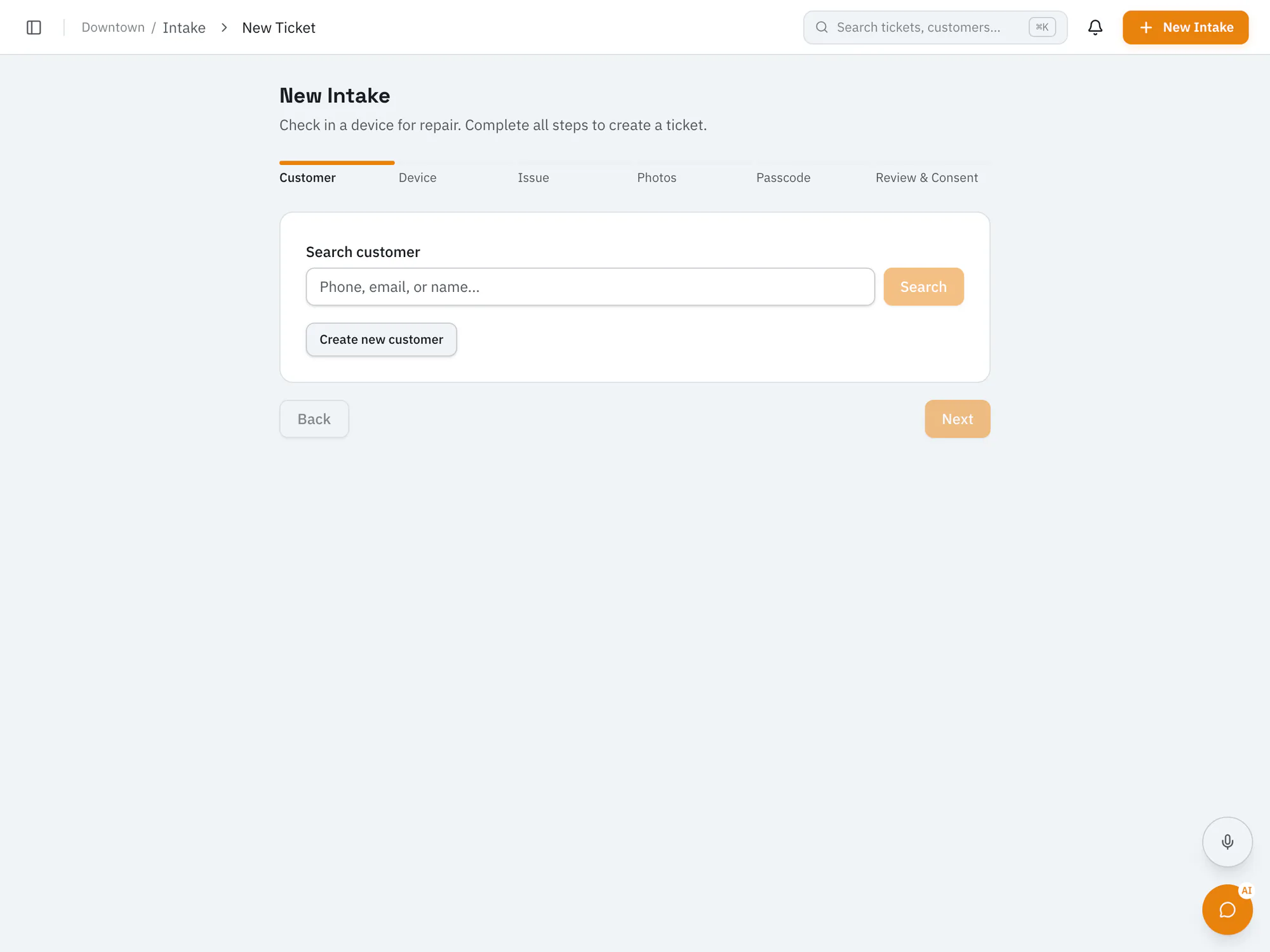
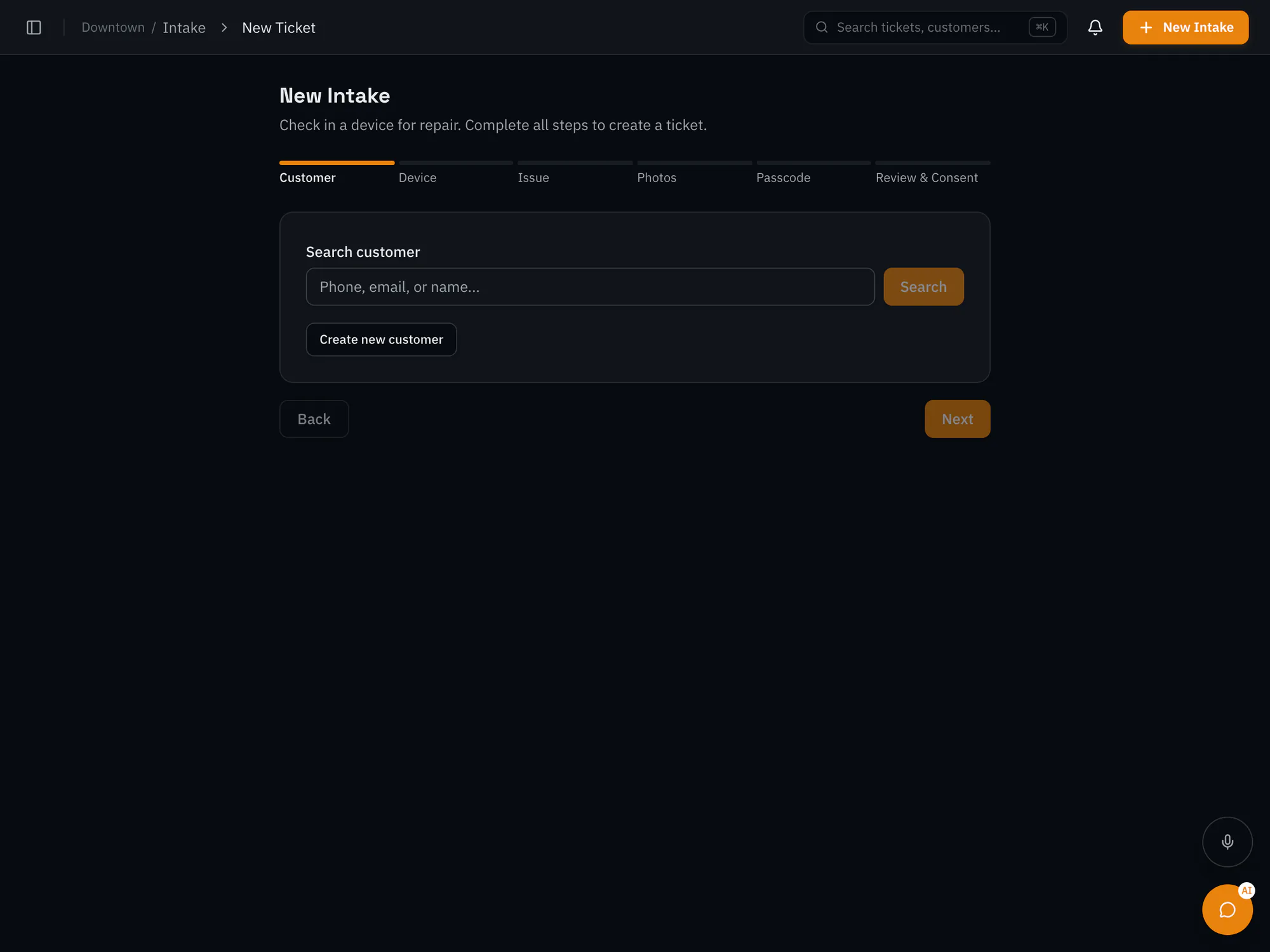
Check-in is a guided wizard for owners, managers and front-desk staff. It captures on screen what a PCRT claim ticket used to promise on paper.
- Customer and device
- Find a customer by phone, email or name, or add one on the spot. Pick one of their devices or add it with type, make, model, serial and asset tag. A device with a warning tag shows a banner before you take it in.
- Symptoms and priority
- Tap symptom chips drawn from your services' common problems, ranked for the device type, alongside the customer's own description. Priority is Standard, Rush or Emergency.
- Condition and accessories
- OK, Issue or N/A for each check you define, plus an accessories checklist that can be ticked off again at pickup, so nothing leaves without its charger. PCRT's accessory list is one click away.
- Photos
- Upload, use the browser camera, or scan a QR code and send photos from a phone.
- Agreement and signature
- The customer reads your intake agreement, ticks consent and signs on screen. The exact text they agreed to is saved with the ticket, so changing your wording later never rewrites what an earlier customer signed.
- Receipt and labels
- The intake receipt prints with a QR code to the customer's portal. Ticket and device labels print on DYMO 30252, 30321, 30336 and 30256 stock, one at a time or in a batch selected on the board.
On the bench
A PCRT status box was a label you could set freely. Here a move is refused until its check passes: a ticket can't leave check-in without a signature and photos, for example. Customers follow along on an eight-step progress bar, from Checked In to Complete.
- Live Kanban board
- Drag cards between columns with the same checks applied, and a column at its work-in-progress limit refuses new cards. Changes appear on every open screen without refreshing, and you can filter by technician, priority or tag.
- Board settings
- One to twelve columns, each with its own name, color, work-in-progress limit and the statuses it holds. Choose which fields the cards show, and reset to defaults any time.
- Ticket list and My Work
- Filter tickets by status, priority, technician, date range and tag, sort them, and export to CSV. Each technician gets a queue of assigned jobs with counts for active, waiting-on-parts and overdue work.
- Diagnostics
- A task list per ticket, a findings summary, evidence uploads (including from a phone) and a timer that logs bench time against the ticket.
- Quotes
- Build from your services catalog or add labor, part, service and discount lines, each with its own discount and taxability. Parts that need ordering raise purchase requests, and a sent, declined or expired quote can be revised.
- Quality check
- A five-point checklist (visual inspection, issue resolved, connections secure, powers on, customer data intact), at least one piece of evidence, then pass or fail. A fail sends the job back to repair.
- Pickup
- An ID check, an optional signature and the accessory hand-back checklist before the ticket closes.
- On every ticket
- Reminders with snooze, tags that warn when the same issue keeps coming back, parts and orders, transfer to another of your stores, and an alert when a job is overdue.
Customers and messages
Every repair gets a private page for the customer, and messages go out through your own email and Twilio accounts.
- Customer records
- Contact details, how they found you, marketing opt-out with its consent source and date, tags, devices and full ticket history.
- Customer portal
- A private link per ticket, valid for 90 days and revocable, with no account or password. Once the customer confirms the email or phone you hold for them, they can see the timeline, approve or decline a quote, message the shop and choose how they'd like to be contacted.
- Status page and website widget
- A public page where customers check a repair by ticket code or phone number, and a widget for your own website. Look-ups are rate-limited against guessing.
- Customer messages
- Emails when a quote is sent, an invoice is generated, a payment is received and a repair is ready, plus pickup reminders if you want them. Quote, ready-for-pickup and reminder messages can go by email, text or both, and each customer's contact preference is respected.
- Your Twilio and email accounts
- Texts go through your Twilio account, with its credentials stored encrypted; you pay Twilio directly and nothing is capped. Email goes through your SMTP account, or Postmark for customer mail.
- Templates, portal messages and call notes
- Reusable message templates with placeholders such as
{{customer_first_name}}and{{ticket_code}}. Messages customers send from the portal land on the ticket and notify staff, and a call log records direction, reason, number and minutes. - Customer export
- Choose filters and columns, preview, and download a CSV.
- Staff notifications
- Choose channels per event for your team, with quiet hours and escalation.
Invoices and payments
Money stays tied to the repair: approved quotes become invoices, deposits apply to them, and every payment and refund lands on the ticket's history.
- Invoices
- Created when a quote is approved, by the customer in the portal or by staff, or generated by hand, with any deposit already held applied automatically. Each has a page and a PDF, and numbers are assigned per store by the database, so they can't collide or be reused.
- Recording payments
- Record cash, check or other payments with a reference. A partial payment leaves the invoice partly paid, and each payment is written in one step that refuses overpayment and can't be recorded twice by a double click.
- Deposits
- Take a deposit on any open ticket, then apply it to the invoice (never more than the balance) or refund it.
- Refunds
- Full or partial, with a required reason. The payment, the invoice balance and the ticket history update together. Owners and managers only.
- Tax
- A tax profile per store (rate, label, and whether parts, labor, services and add-ons are taxable), a secondary rate, a tax category on each service, the fiscal-year start month and your tax ID. Tax is rounded per line, so every document's tax equals the sum of its lines.
Stock, parts and services
Stock, special orders and your priced services, connected to the tickets that use them.
- Inventory
- SKU, category, quantity on hand, reorder point, cost, price and bin location, with stock adjustments, a movement history and low-stock alerts.
- Parts on tickets
- Draw parts from stock or add one-off parts, and track each as needed, ordered, received, installed or returned. Staff are told when every part for a job has arrived, and stale orders are flagged.
- Special orders
- Purchase requests tied to a ticket or quote line, with the supplier, the customer price against cost and whether repair can start without the part, then marked ordered and received.
- Purchase orders and vendors
- Orders with line items, receiving, carrier and tracking number, linked to tickets where relevant, plus a vendor list with their parts.
- Services catalog
- Services with pricing, tax category, duration, warranty days, walk-in, mail-in, remote and on-site flags, common symptoms for intake and per-store overrides, with CSV import and export.
- Spreadsheet imports
- A CSV importer for customers, devices, inventory and services, with column mapping, a dry run and rollback.
Reports and insight
Reports use each store's local day, so an evening sale lands on the day it happened. Sales reports count each invoice once, on the date of its first payment; cash reports come from the payments themselves.
- Dashboard
- Open tickets, quotes awaiting approval, work due today and revenue this month, plus an attention list of SLA breaches, full columns, idle quotes and unread portal messages.
- Analytics
- Tickets created and closed, turnaround, revenue, QC first-pass rate, SLA compliance, parts cost and overdue work, with technician workload, bottlenecks, a store comparison for owners and KPI export to CSV.
- Heartbeat
- Stuck tickets, plus trends in how long jobs sit in each status and how quality checks are going.
| Report | What it shows | Export |
|---|---|---|
| Day report | Labor and parts, tax, net and transactions for one day | PDF, CSV, print |
| Day range | Sales across any date range | CSV |
| Monthly, quarterly, yearly | Sales by period | On screen |
| Parts margin | Cost, profit and margin on parts sold | CSV |
| Sales tax | Taxable and non-taxable sales and tax collected, by month | PDF, CSV, print |
| Fiscal-year tax | The year's tax summary for your accountant | PDF, CSV, print |
| Payment types | Summary, detail and monthly views by payment method | Summary: PDF, CSV. Others: print |
| Customer sources | Where customers came from | On screen |
| All-stores roll-up | Every store together, for owners with more than one store | On screen |
Stores, team and security
Up to three stores in one install, each with its own time zone, tax and settings, and staff access by role.
- Stores
- Each store has a name, a short code used in invoice numbers, an address, a time zone and default tax. Switch stores from the header, limit staff to particular stores, and move a ticket between them.
- Team
- Invite staff, change roles and deactivate leavers, with no user limit.
- Sign-in and two-factor
- Sign-in by one-time email code, authenticator-app two-factor with recovery codes, a policy requiring two-factor for managers (on by default) or everyone, passkeys where your sign-in server supports them, and an authentication log.
- Encryption
- Device passcodes entered in the passcode field, and plugin credentials, are encrypted with a data key that exists only in your server's config.
- Ticket history
- Every status change, note, payment, message and label print is recorded on the ticket.
- Exports and in-app backups
- CSV exports of customers, tickets, inventory and services, and scheduled in-app backups with retention from 7 to 365 days, alongside the server's nightly database dump.
| Role | Typically does |
|---|---|
| Owner | Everything, including backups, plugins, invitations, the all-stores roll-up and data export |
| Manager | Settings, refunds, reports, analytics, tax settings and services |
| Front desk | Intake, payments and deposits, invoices, the day report and CSV exports |
| Technician | Diagnostics and repairs, inventory, orders, My Work, PC builds and repair guides |
| Quality control | Quality checks |
| Accounting | Reports and invoice PDFs |
| Dispatcher | Ticket and customer look-ups |
Knowledge tools
Reference tools for the bench. They carry fixed allowances in this edition, listed under limits.
- Knowledge base
- Articles in categories with edit history and attachments, seeded with RepairOps' own system articles.
- Repair guides
- Search iFixit's repair guides, and see relevant guides on a ticket.
- System Builder
- Quote custom PCs with builds checked for compatibility against the open BuildCores parts catalog, refreshed weekly (about 46,700 components after the first sync). Save templates, add your own parts, and share a build page the customer opens from their portal.
Limits
What's unlimited, and what has an allowance
Anything that runs on your hardware or your own accounts isn't capped. A handful of bundled tools use fixed allowances.
No cap
| What | Why there's no limit |
|---|---|
| Work orders | Your server does the work. |
| Staff accounts | There's no per-seat pricing on a self-hosted install. |
| Customer texts | They go through your Twilio account, billed by Twilio. |
| Photo and file storage | It's your disk. |
| Exports | It's your data, as often as you like. |
Fixed allowances
| Tool | Allowance in this edition |
|---|---|
| Stores | 3 included; more with a reissued license file. |
| Knowledge base | 50 articles, with 5 saved revisions and 3 attachments per article, and 2 category levels. Owners and managers write articles. |
| System Builder | 10 builds a month, 3 saved templates, 20 of your own parts and 30 days of build history. No PDF export. |
| iFixit repair guides | 50 lookups a month. No category browser or auto-suggest. |
| Tags | 50 tags. No automatic tag rules or tag merging. |
| Heartbeat trends | 30 days of status-duration and QC trends. The ticket throughput history chart isn't included. |
These are the entry-level settings those tools were built around. Nothing on this list stops a repair, an invoice or a report.
Not in this edition
What Shop Owner Edition leaves out
The software contains the whole RepairOps product, and your license switches these parts off. Most are available on RepairOps' hosted plans.
Left out by design
| Feature | What it is | In this edition, instead |
|---|---|---|
| Appointment booking | An online booking page, reminders and no-show handling | Walk-ins and calls go straight into intake. |
| Shop-floor displays | Queue screens for the counter or the workshop wall | Open the live Kanban board on any screen. |
| Time clock | Staff punches, timesheets and payroll export | Use your payroll provider's clock. Bench time is still logged on tickets by the diagnostics timer. |
| White-label branding | Your colors, a custom domain and email identity, and removing the RepairOps mark | Your shop name and logo appear on customer pages and emails, with a small “Powered by RepairOps” mark. |
| REST API and webhooks | Programmatic access and event feeds for other systems | Read your own PostgreSQL database directly, or use the CSV exports. |
| Plugin marketplace | Third-party and paid plugins | The free built-in integrations still install: Twilio SMS, email providers, Slack alerts and push notifications. |
| Single sign-on (SSO and SAML) | Sign-in through a company identity provider | Email-code sign-in with two-factor and passkeys. |
| Audit trail screen | An organization-wide audit log and compliance export | Each ticket's full history, and the authentication log. |
Not included today
These aren't part of the edition as it ships.
- Advanced analytics
- KPI PDF export and documentation-quality scores. The analytics dashboard and CSV export are included.
- Review requests
- Asking customers for a Google review after pickup.
- Phone calling
- RingCentral calling, call logs and voicemail. Manual call notes are included.
- Tag automation
- Automatic tag rules, tag merging and the tag usage report. Tags themselves are included.
- Status page extras
- Auto-refresh, and closed tickets in phone look-ups. The status page and widget are included.
- Approving join requests
- Requiring an owner to approve new members before they get in.
Not part of RepairOps at all
- Recurring invoices, service contracts and late fees: invoices belong to a repair ticket.
- Built-in card processing on a self-hosted install.
- Tax-inclusive pricing: prices are entered before tax.
- A double-entry ledger: export the reports for your accountant.
Moving from PCRT
Moving your PC Repair Tracker data across
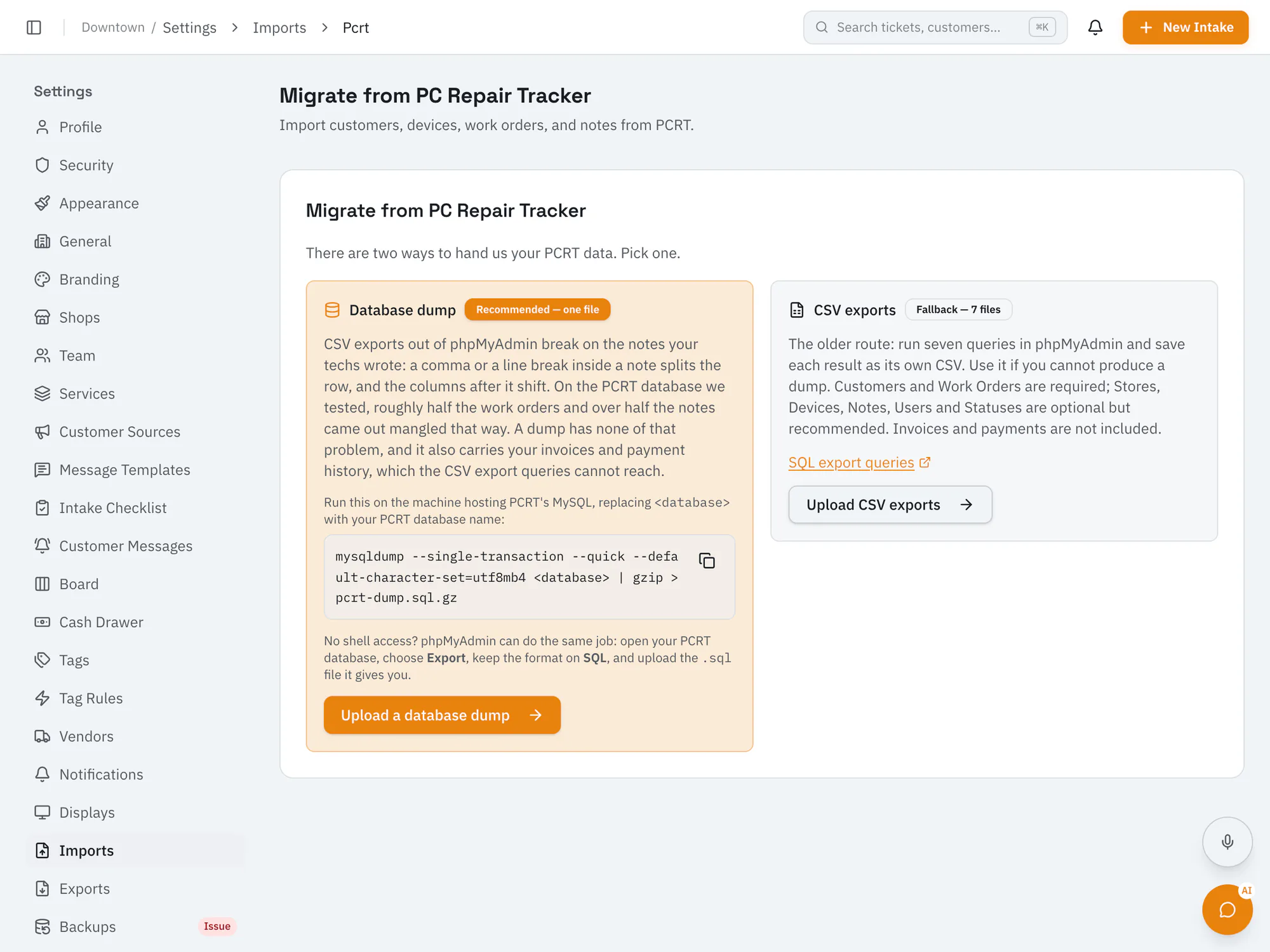
A wizard inside the app, run by the owner. PCRT is only ever read, nothing is written to your shop's records until you press Import, and the import can be undone.
Export from PC Repair Tracker
On the PCRT server, run one command. It only reads, and it doesn't lock PCRT, so the shop keeps working while it runs.
mysqldump --single-transaction --quick --default-character-set=utf8mb4 <database> | gzip > pcrt-dump.sql.gzNo shell access? In phpMyAdmin, choose Export with the SQL format and upload the
.sqlfile it gives you.Upload the dump
In RepairOps, go to Settings → Imports → PCRT. Owners only; files up to 500 MB.
Map your stores
Pair each PCRT store with a RepairOps store, choose a fallback for work orders with no store recorded, or leave a store's work behind.
Map statuses
Match each PCRT status to a RepairOps status. By default everything imports as closed history; you can bring open jobs in at their mapped status instead.
Link technicians
Link PCRT users to your staff so imported work and notes are attributed. No accounts are created, so invite your team separately.
Choose settings
Tick which PCRT settings to bring across, and optionally read your
deps.php.Preview
A dry run that writes nothing: record counts, the reasons anything will be skipped, and exactly how many customers you'll end up with.
Import
It runs in the background in checkpointed slices with live counts. If the server restarts, it resumes from the last checkpoint, and every record is claimed in a ledger first, so re-running can't create a customer, ticket or invoice twice.
Check, then decide
Spot-check jobs and money against PCRT. Finalize when you're happy, or undo and try again.
Safety rails
- PCRT is never written to. Migrate on a Tuesday, change your mind, and open with PCRT on Wednesday.
- The dry run writes nothing, and nothing reaches your shop's records before you press Import.
- Undo removes only what the import created. A customer who already existed is never removed, and undo refuses once staff have worked on imported records, for example by adding quotes, payments or messages.
- No surprise texts: customer texts and pickup reminders stay off until you choose them. Emails for quotes, ready-for-pickup, invoices and payments reach customers with an email address as soon as your email is set up, so review your customer message settings before your first live ticket.
- Clean-up is automatic. The uploaded dump is deleted once the migration finishes, and the staged copy is erased when you finalize or after 30 days.
What comes across
| From PCRT | Becomes | Database dump | CSV exports |
|---|---|---|---|
| Customerspc_group | Customers | Yes | Yes |
| Device ownerspc_owner | Devices, plus a customer for each owner, grouped by name and phone and carrying the owner's phone and email | Yes | Yes |
| Work orderspc_wo | Tickets, with the PCRT work-order number and status kept on their history | Yes | Yes |
| Work-order noteswonotes | Ticket history | Yes | Yes |
| Receipts and invoicesreceipts · sold_items · invoices | Invoices with line items and payments | Yes | No |
| Payments, refunds and depositssavedpayments · deposits | Payments, refunds, and deposits against the ticket | Yes | No |
| Parts and stockstock · counts · lots | Inventory items with opening stock per store | Yes | No |
| Stores, statuses and usersstores · boxstyles · users | Used for the mapping steps | Yes | Yes |
Money keeps its original dates and the tax rate each line was sold at, so historical reports show what actually happened rather than today's rate. Customers are matched on phone and email, so a later import from a fresher dump doesn't duplicate anyone. The seven-file CSV route is there for hosts where a dump is impossible, but it can't reach invoices, payments or stock, and PCRT notes full of commas and line breaks often break CSV exports.
Your PCRT settings, brought across
Each of these is an offer on the setup step: tick what you want and skip the rest. Applying is additive, so anything you've already set up is left alone, and settings stay put if you later undo the record import.
| In PCRT | Becomes |
|---|---|
| Status box colors and display orderboxstyles | Board columns in the same colors and order |
| Per-status field togglesboxstyles.statusoptions | Which fields the board cards show |
| Canned SMSsmstext | SMS message templates. Any still carrying PCRT's example phone number or sign-off are flagged for editing first. |
| Common problemscommonproblems | The symptom picklist at intake |
| Quick laborquicklabor | Services at the same prices |
| Condition checks and the accessory listchecks · deps.php | The intake condition checklist and accessories |
| Claim-ticket wordingstores.claimticket | The intake agreement customers sign |
Other wording with no direct home, such as the quote, deposit and repair report footers and the thank-you letter, is carried across as reference text, so you never need the old server to copy it.
deps.php: eleven settings, nothing else
PCRT keeps part of its configuration in deps.php, a PHP file you edited over FTP, and that file also holds your database password, SMTP password and payment-gateway keys. So the wizard treats it differently from the dump: the file's text goes to your own server, which picks out eleven named settings and discards the rest. The file itself is never stored.
- Currency symbol
- Tax label
- Invoice overdue days
- Tax-inclusive pricing
- Time zone
- Week start
- Site name
- Return days
- Units
- Accessory list
- Priority list
The accessory list feeds the intake checklist. The currency symbol and overdue days are shown for reference only, because RepairOps has no matching setting.
What stays behind
- Attachments and photos
- PCRT keeps them as files on its own disk, not in the database, so a dump can't contain them. Keep the old server's upload folders.
- Device passwords, staff PINs and stored card data
- Stripped deliberately before anything is stored. Collect device passcodes fresh at intake.
- Appointments
- Along with scheduled and promised dates.
- Quotes that never became jobs, and counter sales with no work order
- RepairOps invoices hang off a ticket. Both are counted and reported, not silently dropped.
- Other PCRT data
- Recurring invoices and RepairFlow data, message history, PCRT logins and permissions, and printed templates.
Imported tickets have no intake photos, signatures or checklists because PCRT never captured them. That's one more reason to finish genuinely open repairs in PCRT and import everything as history.
Tested at shop scale
The importer and the 8 GB server profile were acceptance-tested together on a real two-store PC Repair Tracker database of about 395,000 rows, on a 4-core, 8 GB server.
- work orders
- 43,680
- devices
- 38,111
- customers
- 27,101
- invoices
- 36,003
- notes and history events
- 193,981
- of rows couldn't be placed
- 0.13%
Of the customers, 98% came across with a phone number and 83% with an email. The 523 rows that couldn't be placed were notes and tickets attached to records that weren't imported, and each was counted and explained. Worker memory peaked around 120 MB and the database under 800 MB, with no swapping and no crashes. Undo was exercised in the same run and returned every count to zero.
Running it yourself
Running it on your own server
What the box needs, what runs on it, and exactly what leaves it.
The server
An 8 GB RAM, 4 vCPU, 80 GB disk VPS; Hetzner's CX32 class is the reference box. Before you install, the preflight script checks the machine and changes nothing.
| Check | Pass | Warn | Fail |
|---|---|---|---|
| Memory | 7,600 MB or more | 6,600 to 7,599 MB | Under 6,600 MB |
| CPU cores | 4 or more | 2 or 3 | Fewer than 2 |
| Free disk | 60 GB or more | 25 to 59 GB | Under 25 GB |
A real 8 GB machine reports roughly 7,700 MB to the operating system, which is why the pass mark sits at 7,600. Smaller servers fail on purpose: they can start the software but can't run a shop and a PCRT import at the same time. Preflight also checks the operating system, Docker and Docker Compose, ports 80 and 443, outbound HTTPS and whether your domain resolves.
What's inside the box
Ten long-running containers from one Docker Compose file: Caddy, the web server, which obtains and renews your HTTPS certificate on its own; the web app; the background worker; PostgreSQL; sign-in; a database API; live board updates; file storage; an internal API gateway; and a nightly backup job. One-shot setup, migration and mail-check jobs run once and exit, and the mail check tests your SMTP settings before the app starts. Every long-running container has a memory ceiling, so one runaway process can't take the box down, and together the ceilings leave about 2.3 GB for the operating system's disk cache.
Backups and updates
- Nightly backups
- A backup container dumps the whole database every night and keeps rotating daily, weekly and monthly copies. The Owner's Guide includes a restore drill that proves last night's dump works.
- Updates
- While your updates term is active, you're emailed when a new build is ready. To update, confirm last night's backup, point the config at the new images named in the delivery manifest and bring the stack up; database migrations run on the way. Release images are signed, with build attestations.
- Plain PostgreSQL
- Tables have plain names such as
customers,tickets,invoicesandpayments, so any Postgres tool, consultant or future system can read your data.
What leaves your server
Your records stay on your server. These are the connections it makes by default, and what each one carries. Anything else connects only if you set it up.
| Connection | When | What it carries |
|---|---|---|
| RepairOps version ping | Every 5 minutes by default. Setting REPAIROPS_GUARDIAN_LOCAL_ONLY=true stops it, and nothing about your license depends on it. | Instance ID, edition and environment, a hash of the license ID, app, worker and package versions, build commit, database migration number, whether you're behind the latest version, the ping's own settings and last result, your license's status, fingerprints, signing key ID, tier and expiry date, and your release images' repository, tag, digest, release channel, build and signature details. RepairOps records a SHA-256 hash of the IP address and user agent each ping comes from. No counts, hostnames, shop or customer data. |
| Your email provider | Login codes, and the customer emails you've switched on | The email. SMTP by default; Postmark is optional for customer mail. |
| iFixit | When someone looks up a repair guide, plus a periodic refresh of guides your staff looked up | The device or guide being looked up. |
| GitHub | Once a week, and when you install or update | Downloads only: the open hardware catalog System Builder checks compatibility against, and your signed release images from GitHub's container registry. |
| Docker Hub | When you install or update | Downloads only: the database, sign-in, database API, live updates, file storage, backup and off-site copy images. |
| Let's Encrypt | When your HTTPS certificate is issued or renewed (Caddy falls back to ZeroSSL if Let's Encrypt is unavailable) | Your domain name. |
| Kong | The bundled Kong gateway (Kong 2.8) sends its anonymous usage reports, which are on by default | Kong's anonymous usage statistics about the gateway itself. |
| RepairOps preflight report | Once, when you run the preflight script | Pass or fail results, OS and CPU architecture, CPU, memory and disk figures, a hash of the hostname, and the domain you entered. |
| Your Twilio account | Only if you set it up, for the customer texts you've switched on | The text message. |
| EasyPost | Only if you add your own EasyPost key for parts-shipment tracking | Tracking numbers. |
| Anything else you add | Only if you configure it, such as offsite backup storage, outbound webhooks, or credentials for another service | What that service needs for the job you set it up to do. |
Error reporting (Sentry) and product analytics (PostHog) aren't configured on this edition: the images are built without their keys, so nothing is sent to them. And 18 background schedules that only make sense on RepairOps' hosted service, such as billing, trials and usage alerts, are stood down on this edition, so your worker spends its time on your shop.
Getting started
From purchase to first ticket
The order things happen in. The Owner's Guide walks through every command.
Talk to us and buy a license
Tell us about your shop and we'll share pricing. When you buy, a delivery is opened for your shop, and your technical contact's email is where security notices go.
Rent a server and point a domain at it
For example, an A record for
repairs.yourshop.compointing to the server's IP address.Run the preflight script
Use the codes from your delivery email. A fail is a stop: resize the server before going further.
Download your package
RepairOps builds your package, issues your license and emails you. Download it from Settings → Self-hosting in your RepairOps account: the Compose file, the config template, the delivery manifest with your images' fingerprints, and the Owner's Guide.
Install
Fill in
light.envwith your domain, fresh secrets and SMTP details, placeruntime.license.json, and rundocker compose up -d. The HTTPS certificate is issued automatically.Sign up
The first account becomes the owner, and that organization is bound to your license automatically.
Import PC Repair Tracker
Run the migration, check the results and finalize.
Set up and go live
Set each store's time zone and tax rate, the board, message templates, the intake checklist, labels and your Twilio account, then choose which customer messages go by text and whether to send pickup reminders.
FAQ
Questions PCRT shop owners ask
Something else to check before you move? Ask us and we'll answer it.
What is RepairOps Shop Owner Edition?
It's RepairOps packaged to run on a server you control, built for shops moving from PC Repair Tracker. It brings your PCRT history across, keeps your data in a PostgreSQL database on your server, and comes with a license that keeps the shop running even if you stop paying for updates.
What happens if I stop paying for updates?
Your install keeps running the last version it received, indefinitely. There's no countdown, no read-only switch and no remote off button. Paying for updates only buys new versions and security patches.
How much does Shop Owner Edition cost?
Pricing is shared on request, so get in touch and tell us about your shop. There's no monthly subscription to RepairOps and no per-user pricing. You rent the server separately, from the hosting provider you choose.
What server do I need?
A VPS with 8 GB of RAM, 4 vCPUs and 80 GB of disk, such as Hetzner's CX32 class. A preflight script checks the machine before you install and changes nothing. It fails servers with under 6,600 MB of memory, fewer than 2 CPU cores or under 25 GB of free disk.
Can I bring my PC Repair Tracker data?
Yes. One mysqldump of your PCRT database carries customers, devices, work orders, notes, invoices, payments, refunds, deposits and stock. You upload it in the app, map stores, statuses and technicians, preview a dry run, import, then finalize or undo. PCRT itself is never written to.
What doesn't come across from PCRT?
Attachments and photos (PCRT stores them as files, not in the database), device passwords, staff PINs and stored card data, appointments, quotes that never became jobs, counter sales without a work order, recurring invoices, message history, and PCRT logins and permissions.
Does my shop's data leave my server?
Customers, tickets, money and stock stay in PostgreSQL on your server. By default the box also connects to RepairOps for a version ping carrying versions and license status (one setting turns it off), GitHub weekly for the parts catalog, iFixit to refresh repair guides your staff looked up, a certificate authority to renew HTTPS, GitHub's registry and Docker Hub during installs and updates, and Kong's anonymous usage reports from the bundled gateway. Email, texts and anything else connect only through the accounts you set up. Error reporting and product analytics aren't configured on the box.
How many stores and staff can I have?
Three stores are included in one install, and more can be added with a reissued license file. There's no cap on staff accounts, work orders, texts, exports or storage.
What support is included?
The Owner's Guide, a preflight checker, and security-notice emails when a version you run needs patching. There's no support queue or phone line with this edition. If you want help from the RepairOps team, the Supported self-hosted plan includes email support and update guidance.
Is it the same software as hosted RepairOps?
Yes. The software contains the whole RepairOps product, and your license switches on the parts in this edition. Features such as appointment booking, the time clock, the REST API and single sign-on stay on RepairOps' hosted plans.
Shop Owner Edition
Running PC Repair Tracker today? Let's talk about your move.
Tell us about your shop, including how many stores and staff you have and how long you've run PCRT. We'll share pricing and what the move involves.